
Source-backed guides
Moon SweepersGuides & Wiki
Start Moon Sweepers with the dust-to-depot delivery loop, turn shipments into money, and reinvest in cleaning tools, carrying capacity and vehicles.
Checked 2026-11-01
Moon Sweepers
The basics
Collect lunar dust with your starting toothbrush, fill your storage, deliver the dust to a depot and launch a shipment to receive payment. Spend those earnings on better cleaning tools and increased carrying capacity to grow beyond the starting setup.
Official game →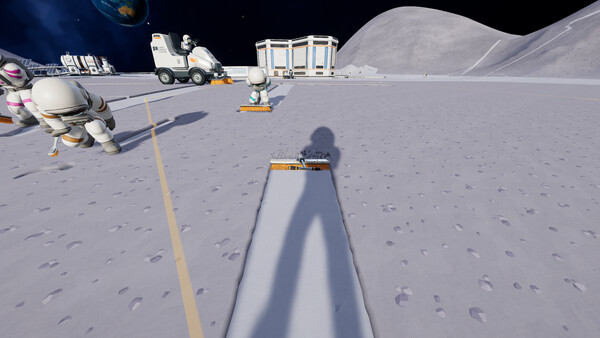
Guides & Wiki
Choose your next step
Co-op
Learn Moon Sweepers co-op limits, shared Upgrade Matrix purchases, public-session warnings, belt permissions and the host's kick, ban and unban controls.
Read guide02Building
Use Moon Sweepers 1.0.5 building controls to move structures, build on dust, align machines, check reachable belts and recover full building-piece prices.
Read guide03Automation
Troubleshoot Moon Sweepers capsule packing, garage silo output and J.O.O.N.A.S. routing using documented status checks, catcher rules and versioned fixes.
Read guide04Crashes & Saves
Match Moon Sweepers crashes and loading freezes to reported fixes, find Windows backups, and understand automatic repair, backup timing and save warnings.
Read guideGetting Started
Turn your first dust into money
Moon Sweepers starts you with a toothbrush. Selling collected lunar dust funds better tools and equipment, but the documented delivery loop includes launching a shipment—not merely reaching a depot. Official progression overview.
- Collect lunar dust with the starting tool.
- Fill your storage with the collected dust.
- Deliver it to a depot.
- Launch a shipment to get paid.
- Spend the earnings on new cleaning tools or increased carrying capacity.
Keep collection, delivery and shipment as separate items in your checklist. The store describes payment after launching shipments, so do not assume dust becomes spendable money as soon as you collect it. Collection and shipment sequence.
Reinvest and expand
New cleaning tools and increased carrying capacity are documented uses for your earnings. More carrying capacity lets you take on larger jobs between deliveries. Use these as progression options rather than following an unsupported optimal purchase order. Tools and capacity.
As your operation grows, the store describes placing depots near your work and using cleaning vehicles. Cleaning visibly changes dusty terrain, and you can track progress across the lunar surface. These are documented expansion options, not a vehicle-unlock sequence. Expanding the operation.
Manual shipments and belt deliveries
Do I need to launch a shipment to sell stored dust?
For the storage-to-depot loop, yes. The store explicitly describes filling storage, delivering dust to a depot and launching shipments to receive payment. Keep the launch step in your delivery checklist. Manual delivery loop.
Does belt-delivered material use the same payment sequence?
The developer describes a separate behavior for the deposit intake. Patch 1.0.3 says belt-delivered dust and stone are paid for as they arrive, at the amount displayed on the intake screen. Do not apply that arrival-based payment rule to manual shipments. Deposit intake changes.
Choose your next guide
- Co-op and shared upgrades: crew capacity, the Upgrade Matrix and host moderation.
- Building and relocation: Move Mode, dusty-ground placement, machine snapping and refunds.
- Automation troubleshooting: capsule packing, catcher routing and garage silo output.
- Crashes and save protection: reported fixes, backups and automatic repair.
Version and scope
Checked November 1, 2026: the newest released patch visible in the official developer feed is 1.0.5, dated October 28. This overview covers the documented progression sequence; exact collection and shipment controls, prices, income rates and an optimal purchase order are outside its scope. Developer updates.
Sources and verification
- Moon Sweepers · store.steampowered.com · Checked 2026-11-01
- Moon Sweepers · steamcommunity.com · Checked 2026-11-01